
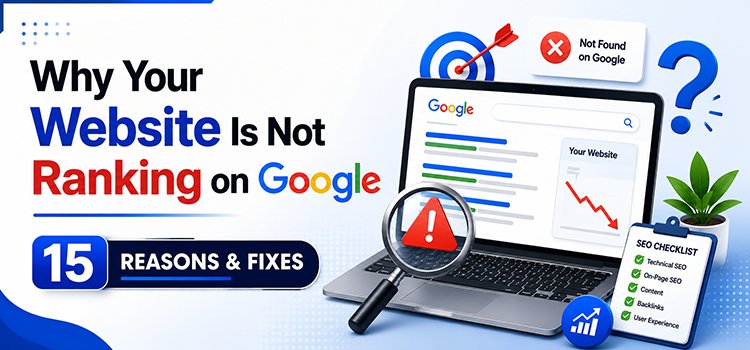
You built the
website. You published the pages. You even wrote some blog posts. But when you
Google your business, you’re nowhere to be found.
If your website
is not ranking on Google, you’re not alone. Over 90% of web pages get zero
organic traffic — not because Google hates them, but because they’re making
fixable mistakes.
This guide breaks down the 15 most common reasons your site isn’t ranking and,
more importantly, exactly what to do about each one.
No buzzwords. No
distractions. Just the methods that actually work.
1. Your Website Is Too New — Google Hasn’t Trusted It Yet
Here’s
something most people don’t tell you: Google has never officially confirmed a
“sandbox,” but SEOs have observed for years that new domains
consistently struggle to rank during their first 3 to 6 months, regardless of
content quality. The likely reason is that Google needs time to accumulate
enough trust signals about your domain before confidently pushing it up the
rankings. Call it a sandbox or a trust building phase; the result is the same,
and the fix is the same too.
During this time, Google is watching and assessing your content quality, user
behavior signals, and how other websites respond to your content.
What you can do:
- Start
publishing high-quality content consistently from day one
- Submit your
sitemap to Google Search Console immediately
- Build at
least a handful of quality backlinks from credible websites in your
industry
- Be patient —
but be active
The sites that
rank fastest are the ones that demonstrate consistent authority signals from
the start. Don’t wait six months and then start optimising. Build the
foundation now.
2. Google Hasn’t Indexed Your Pages Yet
You can’t rank if
Google doesn’t know your page exists. Indexing and ranking are two separate
steps — and many site owners skip straight to worrying about rankings without
checking if their pages are even indexed.
How to check: Go to Google and
type site:yourdomain.com. If your pages don’t show up, they’re not indexed.
Common reasons
for indexing failures:
- noindex tag
accidentally left in your page’s HTML
- Pages
blocked in your robots.txt file
- Orphan pages
with no internal links pointing to them
- Slow crawl
rate due to server errors
Fix it: Open Google
Search Console, go to URL Inspection, paste your page URL, and request
indexing. Also check your robots.txt file at yourdomain.com/robots.txt to make
sure you’re not accidentally blocking Googlebot.
3. You’re
Targeting Keywords That Are Too Competitive
This is one of
the biggest reasons websites stall in their rankings — especially newer ones.
Going after terms like “digital marketing” or “SEO
services” when you’re a new or mid-sized agency is like entering a sprint
against Olympic runners on day one of training.
Google’s first
page for those keywords is owned by Ahrefs, HubSpot, Neil Patel, and agencies
with 10+ years of domain authority. You will not beat them without years of
accumulated trust signals.
The smarter move: Target long-tail
keywords. Instead of “SEO services,” try “affordable SEO
services for small businesses in Noida” or “how to rank a local
business on Google India.” These have lower search volume, yes — but they
also have dramatically lower competition and higher conversion intent.
A site ranking #1
for a long-tail keyword with 500 monthly searches will generate more qualified
leads than ranking #8 for a keyword with 50,000 monthly searches.
4. Your On-Page
SEO Is Weak or Missing
Google’s crawlers
read your page and try to understand what it’s about. If the signals are weak
or confusing, your rankings suffer. On-page SEO isn’t just about keywords —
it’s about clearly communicating the topic, structure, and relevance of each
page.
On-page SEO
checklist you need to hit:
- H1 tag — One per page, contains your primary keyword
- Title tag — Under 60 characters, keyword near the front
- Meta
description — 150–160 characters with keyword and a reason to
click
- First 100
words — Primary keyword appears naturally in the intro
- URL slug — Short, hyphenated, keyword-first (e.g. /seo-services-noida)
- Image alt
text — Describes what’s in the image using relevant terms
- Internal
links — Connect this page to 2–3 related pages on your
site
Miss any of these
and you’re leaving ranking potential on the table. Most CMS platforms
(WordPress, Webflow, Shopify) make these editable — use a plugin like Yoast or
Rank Math to audit every page.
5. Your Content
Doesn’t Match Search Intent
This one kills
rankings silently. You write a 1,500-word blog post targeting a keyword — but
the people searching that keyword want something completely different from what
you wrote.
Google measures search
intent by analysing what type of content users click on and stay on. There
are four types:
- Informational — “how to do X”, “what is X”
- Navigational — “solomo media website”
- Commercial — “best SEO agency in India”
- Transactional — “hire SEO consultant India”
If someone types
“SEO audit checklist” and you serve them a sales page for your SEO
services, Google reads the bounce rate and drops your ranking. Match your
content format and angle to what the searcher actually wants.
Quick test: Google your
target keyword in an incognito window. Look at the top 5 results. Are they blog
posts, videos, product pages, or comparison guides? That’s your format signal —
match it.
6. Your Website
Has Technical SEO Problems
Technical SEO is
the foundation that everything else sits on. Even brilliant content won’t rank
if Google can’t properly crawl, render, and understand your site structure.
Most common
technical SEO issues that block rankings:
- Broken links
(404 errors) — Both internal and external broken links signal
poor maintenance
- Duplicate
content — Multiple pages with the same or near-identical
content confuse Google
- Missing
canonical tags — Tells Google which version of a page is the
“master” copy
- Redirect
chains — A → B → C → D slows crawl and dilutes link equity
- Missing
structured data — Schema markup helps Google display rich results
(stars, FAQs, breadcrumbs)
- XML sitemap
errors — Your sitemap must only include pages you want
indexed, all returning 200 status codes
Free tools to
audit this: Google Search Console, Screaming Frog (free up to 500
URLs), and Ahrefs Webmaster Tools will surface most of these issues within
minutes.
7. Your Website
Loads Too Slowly
Page speed is a
confirmed Google ranking factor. More critically, 53% of mobile users abandon a
page that takes longer than 3 seconds to load. A slow site doesn’t just hurt
rankings — it actively drives away potential customers.
Check your site
speed: Run your URL through Google PageSpeed Insights or GTmetrix. Aim for a
score above 80 on both mobile and desktop.
The most common
speed killers:
- Uncompressed
images (biggest culprit — compress everything with WebP format)
- Excessive
JavaScript and CSS files that block rendering
- No browser
caching configured
- Cheap shared
hosting that throttles resources during traffic spikes
- Not using a
Content Delivery Network (CDN)
A site that loads
in 1.5 seconds will outrank a content-identical site that loads in 4 seconds.
Speed is not optional — it’s infrastructure.
8. Your Core Web
Vitals Are Failing
Core Web Vitals
are Google’s three user experience metrics that became official ranking signals
in 2021. They measure real-world page experience — not just raw speed.
The three metrics
you need to pass:
- Largest
Contentful Paint (LCP) — How fast does the main content load? Target:
under 2.5 seconds
- Interaction
to Next Paint (INP) — How quickly does the page respond to user
interactions? Target: under 200ms
- Cumulative
Layout Shift (CLS) — Does your page layout jump around as it loads?
Target: under 0.1
You can check
these in Google Search Console under “Core Web Vitals” or in
PageSpeed Insights. Pages that fail these metrics are marked as
“Poor” experience — and Google actively deprioritises them in
competitive rankings.
9. Your Website
Has Zero or Weak Backlinks
Backlinks — links
from other websites pointing to yours — are still one of the strongest ranking
signals in Google’s algorithm. Think of each backlink as a vote of confidence.
But not all votes carry equal weight.
A single backlink
from a respected industry publication can be worth more than 100 links from
random directories.
How to build
quality backlinks in 2026:
- Digital PR — Create original research, surveys, or data studies that journalists
and bloggers reference
- Guest
posting — Write expert articles for reputable sites in your
industry
- Broken link
building — Find broken links on relevant sites and offer
your content as a replacement
- Resource
page outreach — Find curated resource lists in your niche and
request inclusion
- Earn links
through exceptional content — Comprehensive
guides, original statistics, and free tools attract natural links
What doesn’t
work: buying links, link farms, comment spam, and low-quality directory
submissions. Google’s Penguin algorithm specifically targets manipulative link
patterns.
10. Your Site
Isn’t Mobile-Friendly
Google switched
to mobile-first indexing in 2023. This means Google primarily uses the
mobile version of your website for indexing and ranking — not the desktop
version. If your mobile experience is poor, your rankings are poor. Full stop.
Signs your site
has mobile SEO problems:
- Text is too
small to read without zooming
- Buttons and
links are too close together to tap accurately
- Content is
wider than the screen
- Pop-ups
block the main content on mobile
- Your mobile
page loads key content differently from desktop
Fix it: Open Chrome
DevTools, switch to mobile view, and walk through every key page. Also run your
URL through Google’s Mobile-Friendly Test tool. Any failures there are directly
hurting your rankings right now.
11. Your Content Is Thin, Shallow, or AI-Spun
Google’s Helpful
Content system (launched in 2022, strengthened significantly through 2024–2026)
specifically targets content written to rank rather than to genuinely help
users. Thin content — pages with fewer than 300 words, duplicate product
descriptions, or AI-generated fluff that says a lot without saying anything —
gets filtered out.
What Google wants
from content in 2026:
- Depth — Cover the topic thoroughly. Answer the question fully, not
partially
- Original
perspective — Add your expertise, experience, or data that
others don’t have
- E-E-A-T
signals — Experience, Expertise, Authoritativeness, Trust
- Specific
detail — Replace “some studies show” with
“According to a 2025 BrightEdge study, 68% of…”
- User-first
structure — Answer the main question early, then elaborate
The sites winning
in Google Search right now are the ones that treat every article like it needs
to be the single best resource on that topic on the internet. That’s the bar.
12. You’re
Ignoring Local SEO Signals
If you run a
business that serves a specific geography — whether it’s Noida, Delhi, Mumbai,
or Dubai — and you’re not optimising for local search, you’re missing the most
targeted traffic available to you.
Local SEO ranking
factors work differently from standard organic SEO. Google’s Local Pack (the
map results at the top) is governed largely by:
- Google
Business Profile — Fully optimised, verified, and regularly updated
- NAP
consistency — Your Name, Address, and Phone number must be
identical across all online listings
- Local
citations — Mentions of your business on directories like
Justdial, Sulekha, IndiaMart
- Customer
reviews — Volume, recency, and response rate all factor in
- Local
landing pages — Dedicated pages targeting “[service] in
[city]”
A business
showing up in Google’s 3-pack for “[service] in [city]” can capture
44% of all clicks for that search. Local SEO is often the fastest path to real
revenue for service businesses.
13. Your Website
Has Duplicate Content Issues
Duplicate content
confuses Google. When multiple pages on your site have the same or very similar
content, Google doesn’t know which one to rank — so it often ranks none of them
prominently, or splits ranking signals between them.
Common duplicate
content scenarios:
- www vs
non-www versions of your site both accessible (should redirect to one)
- HTTP and
HTTPS versions both live
- URL
parameters creating multiple versions of the same page (e.g.
?source=email)
- Printer-friendly
versions of pages
- Copied
product descriptions used across multiple category pages
Fix: Implement
canonical tags on all affected pages, set up proper 301 redirects, and use
Google Search Console’s URL Inspection to verify which version Google is
indexing.
14. You Have No
Content Strategy — Just Random Posts
Publishing blog
content without a strategy is like throwing darts in the dark. Many businesses
publish articles on random topics with no keyword research, no topic
clustering, and no clear relationship between posts.
Google rewards topical
authority — the idea that a site covering one subject comprehensively is
more trustworthy than one that covers everything loosely. A digital marketing
agency that has 50 deeply detailed posts about SEO, content marketing, and
social media will outrank a site with 200 posts spanning SEO, recipes, travel
tips, and fitness.
Build a content
cluster strategy:
- Choose 3–5
core “pillar” topics that align with your services
- Write one
comprehensive pillar page per topic (3,000+ words)
- Write 8–12
supporting cluster posts per pillar, each targeting a specific long-tail
keyword
- Internally
link all cluster posts back to the pillar page
This is how you
build topical authority. It signals to Google that you’re a genuine expert —
not just a content mill.
15. You’re Not
Tracking Anything — So You Can’t Fix Anything
This last one is
more common than you’d think. Many businesses invest in creating content but
never set up the analytics infrastructure to know what’s working, what’s
failing, and what needs to be improved.
If you’re not
measuring, you’re guessing.
The
non-negotiable SEO tracking stack:
- Google Search Console — Free. Shows
exactly which queries trigger your pages, your average position,
click-through rates, and indexing errors. This should be your daily
dashboard.
- Google Analytics 4 — Tracks user behaviour, traffic sources, conversion
events, and page performance
- A rank tracker — Tools like Ahrefs, SEMrush, or SerpRobot track
your keyword positions over time so you can see what’s improving and
what’s dropping
- PageSpeed Insights — Regular speed checks on your most important pages
Set a monthly SEO
review. Look at your top 10 pages by impressions in Search Console. Are the
click-through rates low? Rewrite your title tags. Are rankings dropping? Check
for technical issues or content freshness.
Data removes
guesswork. And in SEO, guesswork is expensive.
Frequently Asked
Questions
How long does it take for a website to rank on Google?
Most new websites
start seeing measurable ranking movement between 3 to 6 months after publishing
optimised content. Competitive keywords can take 12 months or more. However,
long-tail keywords and local searches can show results in as little as 4 to 8
weeks with the right on-page and technical SEO in place.
Why is my website ranking dropped suddenly on Google?
Sudden ranking
drops are typically caused by a Google algorithm update, a manual penalty, a
technical issue (such as pages being accidentally noindexed), loss of key
backlinks, or a competitor significantly improving their content. Check Google
Search Console’s Coverage and Manual Actions reports first — they’ll flag the
most likely cause.
What is the most important Google ranking factor?
There’s no single
factor. Google’s algorithm weighs hundreds of signals. That said, the three
most consistently proven ranking drivers are: high-quality content that fully
satisfies search intent, authoritative backlinks from relevant websites, and
strong technical SEO (speed, mobile-friendliness, Core Web Vitals). Get all
three right and rankings follow.
Can I rank on Google without backlinks?
Yes — especially
for local searches and low-competition long-tail keywords. Many pages rank on
page one with zero backlinks when the content is exceptionally thorough and
well-optimised. However, for competitive national or global keywords, backlinks
remain a critical differentiator between sites of similar content quality.
How do I check why my website is not ranking?
Start with Google
Search Console — check for indexing issues, manual penalties, and which queries
you do appear for. Then audit your on-page SEO, run a technical crawl with
Screaming Frog, check your Core Web Vitals, and compare your content depth
against the top 3 ranking pages for your target keyword.
Fix Your Rankings
— Or Get Experts to Do It For You
Getting a website
to rank on Google is not magic. It’s a system. Every reason on this list has a
clear fix, and every fix compounds over time.
The sites that
dominate Google search in 2026 are the ones that treat SEO as an ongoing
investment — not a one-time setup. They publish with strategy, fix technical
issues fast, earn backlinks proactively, and track performance religiously.
If you’ve read
through this list and feel overwhelmed by the amount of work involved, that’s
completely normal. SEO done right is a full-time job. The good news is you
don’t have to do it alone.
Solomo
Media’s SEO team has spent over a decade helping businesses across India,
Dubai, Canada, and Australia rank where their customers are searching. From
technical audits to full-scale content strategies, we handle the complexity so
you can focus on running your business.
Ready to find out exactly why your website isn’t ranking — and get a roadmap to fix it? Get a free SEO audit from Solomo Media and let’s turn your website into your best-performing sales channel.
