
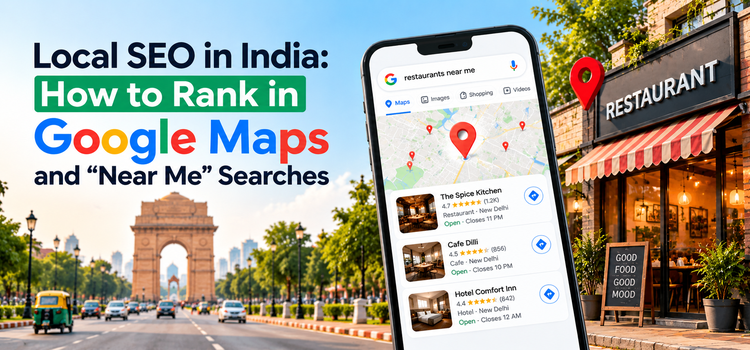
Local SEO in India decides which businesses show up when someone searches “dentist near me,” “best coaching institute in Lucknow,” or “AC repair in Gurgaon.” Google places three map listings above everything else, and those listings collect most of the calls, direction requests and website visits. This guide explains how to rank in Google Maps and “near me” searches, with specific steps for your Google Business Profile, citations, reviews, website content and tracking.
What Is Local SEO and Why Does It Matter in India?
Local SEO is the process of optimizing your online presence so your business appears in location-based searches. These include searches with a place name (“digital marketing agency in Noida”) and searches with local intent but no place name (“cafe near me”), where Google uses the searcher’s device location.
It matters for Indian businesses for three reasons:
- Mobile-first behavior. Most local searches happen on phones, and the searcher is usually ready to call, visit or message.
- Mixed-language queries. People search in English, Hindi and Hinglish, so your content should cover the terms your customers actually type.
- Metro competition. In cities like Delhi NCR, Mumbai and Bengaluru, a complete and active profile gives small businesses a real edge over larger brands with neglected listings.
Local SEO applies to businesses with a physical location (clinics, shops, restaurants, salons, offices) and to service-area businesses (plumbers, electricians, home tutors, packers and movers).
How Google Ranks Local Results
Google states that local results are based on three factors: relevance, distance and prominence.
- Relevance: how well your profile matches the search. Categories, services and descriptions drive this.
- Distance: how far your business is from the searcher or the location named in the query. You cannot change this, but you can make sure your address and service areas are accurate.
- Prominence: how well known your business is, based on reviews, ratings, links, citations and overall web presence.
Every step below improves at least one of these three factors.
Step 1: Claim and Fully Optimize Your Google Business Profile
Your Google Business Profile (GBP) is the biggest single factor in Google Maps ranking. Search for your business on Google Maps and claim the listing, or create a new one at business.google.com. Then complete verification using the method Google offers (video, phone, email or postcard).
Fill in every field:
- Business name: use your real name exactly as it appears on your signage. Adding keywords to the name breaks Google’s guidelines and can lead to suspension.
- Primary category: pick the most specific option, such as “Pediatric Dentist” instead of “Doctor.” Add two to four secondary categories that genuinely apply.
- Address and service area: enter your exact address. Service-area businesses can hide the address and list the cities or localities they serve.
- Phone and website: use a local number and link to the most relevant page, such as a location page, instead of defaulting to the homepage.
- Hours: keep regular and holiday hours current, including Diwali and other festive closures.
- Description: write 600 to 750 characters covering what you offer and where you offer it, in plain language.
- Services and products: add each service with a short description and, where relevant, a price.
- Photos and videos: upload real images of your storefront, interior, team and completed work. Fresh photos build trust and give searchers a reason to choose you.
- Posts: publish offers, updates and events at least weekly.
- Q&A: add and answer common questions yourself before anyone else does.
Update the profile whenever anything changes. An outdated listing loses rankings and customers.
Step 2: Build Consistent NAP Citations
A citation is any mention of your business name, address and phone number (NAP) on another website. Google cross-checks citations to confirm your details and to measure prominence.
- Keep NAP identical everywhere. Use the same spelling, abbreviations, suite number and phone format on every platform.
- List on major directories. In India, start with Justdial, Sulekha and IndiaMART (for B2B), then add Bing Places, Apple Business Connect and Facebook.
- Add industry directories. Examples include Practo for doctors, Zomato for restaurants and trade association listings for professional services.
- Audit and clean up. Find duplicate listings, old addresses and retired phone numbers, then merge or remove them. Duplicates split your authority and confuse Google.
NAP consistency is a basic but powerful local SEO signal. Fix it before you spend on anything else.
Step 3: Get More Google Reviews and Respond to All of Them
Reviews affect both your Google Maps ranking and the number of people who click on your listing. Aim for steady, recent reviews rather than a single burst.
- Make it easy. Share your direct review link through WhatsApp, SMS, email or a QR code at the counter.
- Ask at the right time. Request a review right after a completed service, when the experience is fresh.
- Let customers write their own words. Reviews that mention the service and area appear naturally when customers describe their experience. Never script reviews.
- Reply to every review. Thank positive reviewers. Answer negative ones politely and offer to resolve the issue offline.
- Stay within the rules. Do not buy reviews or offer incentives for them. Google removes fake reviews and can penalize profiles that use them.
Step 4: Optimize Your Website for “Near Me” Searches
Your website supports your map ranking and brings in organic traffic from local queries.
- Create a dedicated page for each location or service area. Write unique content for each page instead of copying one template and swapping the city name.
- Show NAP in the footer and on the contact page, matching your Google Business Profile exactly.
- Embed a Google Map on the contact page.
- Add LocalBusiness schema markup with your name, address, phone, opening hours, geo-coordinates and social profile links.
- Place local keywords where they count: title tag, H1, first 100 words, image alt text and URL. Example title: “Orthodontist in Indirapuram, Ghaziabad | Brand Name.”
- Make the site fast on mobile. Improve Core Web Vitals, compress images and remove heavy scripts.
- Add click-to-call and WhatsApp buttons so mobile visitors can contact you in one tap.
Step 5: Create Location-Specific Content
Local content gives Google context about the areas and services you cover, and it captures long-tail searches.
Content types that work:
- Service and locality pages: “Home Tutor in Dwarka,” “Packers and Movers in Sector 62, Noida.”
- Local guides and FAQs: “How Much Does Interior Design Cost in Delhi NCR?”
- Case studies: completed projects with the locality and results named.
- Seasonal offers: festive and wedding-season campaigns tied to your service.
Answer real questions with prices, timelines and process details. Thin pages that only change the city name do not rank.
Step 6: Earn Local Backlinks
Links from relevant local sources increase prominence and trust.
- Get listed by local news sites, chambers of commerce and trade associations.
- Sponsor local events, schools or sports teams and request a link from their site.
- Partner with nearby complementary businesses for cross-promotion.
- Pitch local journalists with original data or expert comments through digital PR.
A few relevant local links are worth more than dozens of low-quality directory links.
Step 7: Track Local SEO Performance
Measure results monthly so you know what to improve.
- Google Business Profile Performance: searches, profile views, calls, direction requests and website clicks.
- Google Search Console: impressions, clicks and average position for local queries and location pages.
- Google Analytics 4: organic sessions and conversions from local landing pages.
- Local rank tracking: grid-based tools show your ranking at different points around your business, which reflects how distance affects visibility.
- Lead tracking: use call tracking and tagged WhatsApp links to see which channels bring enquiries.
Common Local SEO Mistakes to Avoid
- Adding keywords to your Google Business Profile name.
- Using different NAP details across directories.
- Choosing a broad or incorrect primary category.
- Leaving duplicate or outdated listings live.
- Ignoring reviews, especially negative ones.
- Listing a virtual office or fake address, which violates Google’s guidelines.
- Building a slow or non-mobile-friendly website.
Frequently Asked Questions
How long does local SEO take to work in India?
Most businesses see early movement within two to three months and stronger results in four to six months. Timelines depend on competition, location and the starting quality of your profile. Competitive categories in metro cities usually take longer.
How do I rank in “near me” searches?
Google uses the searcher’s location, so you cannot force a ranking. Improve relevance and prominence instead: complete your Google Business Profile, choose accurate categories, collect steady reviews, build consistent citations and publish local content on a mobile-friendly site.
Is Google Business Profile free?
Yes. Creating and managing a Google Business Profile costs nothing. Google Ads local campaigns are separate and paid.
Can I rank in Google Maps without a shop?
Yes, if you run a service-area business. Verify your profile, hide your address and list the areas you serve. Virtual offices and fake addresses violate Google’s guidelines and risk suspension.
Conclusion
Local SEO in India comes down to five actions: a complete Google Business Profile, consistent citations, a steady flow of reviews, a website built around your locations, and monthly tracking. Start this week by auditing your profile and checking that your NAP matches everywhere.
Need expert help to rank in Google Maps? The SEO team at Solomo Media builds and manages local SEO strategies for businesses across India. Contact us for a free local SEO review.
