
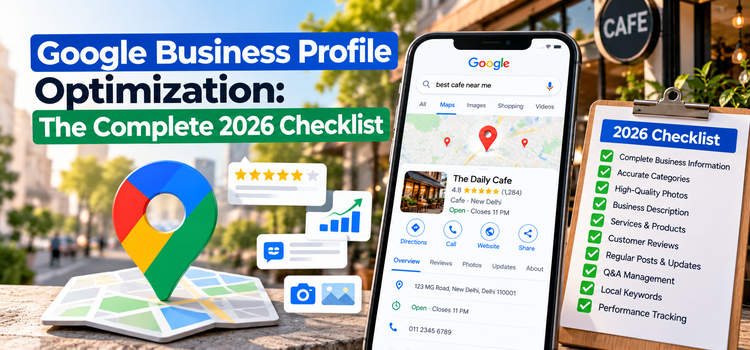
Quick Answer: What Is Google Business Profile Optimization?
Google Business Profile (GBP) optimization is the process of completing and maintaining your free Google listing so your business appears in Google Maps, the local pack, and AI-generated local answers. It involves accurate business information, the right categories, fresh photos, consistent reviews, and regular activity. A well-optimized profile helps customers find you, trust you, and contact you faster.
If you only remember one thing: Google rewards profiles that are complete, accurate, active, and trusted.
Why Your Google Business Profile Matters More in 2026
Search has changed. People no longer just scroll through ten blue links. They see map results, review snippets, and AI-generated summaries that pull from business data across the web. Your Google Business Profile is often the first impression a customer has of your brand, sometimes before they ever visit your website.
Here is why it matters now more than ever:
• Local intent is high. People searching “near me” or “open now” are usually ready to buy or visit.
• AI search relies on entities. AI-driven results favor businesses whose name, location, services, and reputation are consistent and verifiable across the web.
• Zero-click behavior is growing. Many customers call, get directions, or book straight from your profile without visiting your site.
A strong profile feeds both traditional local SEO (ranking in the Map Pack) and newer Answer Engine Optimization (AEO) and Generative Engine Optimization (GEO), where your business needs to be clearly understood and trusted by AI systems.
The Complete Google Business Profile Optimization Checklist
1. Claim and Verify Your Profile
You cannot optimize what you do not control. Search for your business on Google, claim the listing, and complete verification. Make sure the profile is managed by an account your business owns, not a former employee or agency you no longer work with.
Checklist:
• Profile claimed and verified
• Ownership assigned to a business-controlled Google account
• Duplicate listings merged or removed
2. Get Your Name, Address, and Phone (NAP) Perfect
Consistency is the foundation of local trust. Your business name, address, and phone number should match exactly across your GBP, website, social profiles, and local directories.
Tips:
• Use your real-world business name. Adding keywords to your name violates Google’s guidelines and can lead to suspension.
• Use a local phone number where possible, and keep it the same everywhere.
• If you are a service-area business, hide your street address and define the areas you serve.
3. Choose the Right Primary and Secondary Categories
Your primary category is one of the strongest ranking signals in your profile. Choose the one that most precisely describes your core business, then add secondary categories for other services.
Example: A business offering web design and marketing should pick the category that reflects what it is mostly known for, not every service it offers.
Checklist:
• Most specific primary category selected
• 2 to 5 relevant secondary categories added
• Competitors’ categories reviewed for ideas
4. Write a Clear, Helpful Business Description
You get 750 characters, but only the first portion is visible before users have to expand. Lead with who you are, what you do, and where you serve.
A simple formula:
[Business name] is a [type of business] in [city/area] offering [top 3 services]. We help [target customers] with [main benefit].
Example:
Solomo Media is a digital marketing agency offering website design, local SEO, and Google Business Profile management. We help small businesses get found online and turn searches into customers.
Write naturally. Avoid keyword stuffing, promotional language, links, or phone numbers in the description.
5. Set Accurate Hours, Including Special Hours
Incorrect hours are one of the most common reasons for bad reviews and lost customers. Update your hours for holidays, events, and seasonal changes.
Checklist:
• Regular hours verified
• Holiday and special hours scheduled in advance
• Temporary closures marked properly
6. Add Every Relevant Service and Product
Use the Services and Products sections to describe what you offer in detail. These entries give Google, and AI systems, more context about your business.
Best practices:
• Add a short, plain-language description for every service.
• Include pricing or price ranges where it makes sense.
• Use the same terminology your customers use when they search.
7. Upload High-Quality, Original Photos and Videos
Profiles with strong visuals earn more engagement. Use real images of your team, location, work, and products rather than stock photography.
Photo types to include:
• Logo and cover photo
• Exterior and interior shots
• Team photos
• Products or completed projects
• Short videos showing your work or space
Pro tip: Add new photos regularly. Fresh content signals an active, trustworthy business.
8. Build a Review Strategy
Reviews influence both rankings and conversions. Quantity, quality, recency, and your responses all matter.
How to earn more reviews ethically:
• Ask happy customers right after a successful service or purchase.
• Share a direct review link through email, text, or a QR code.
• Make the process as simple as possible.
Never buy reviews, offer incentives in exchange for them, or filter who you ask. These practices break Google’s policies and can damage your profile.
9. Respond to Every Review
Responding shows prospective customers you care and signals engagement to Google.
• Positive reviews: Thank the reviewer and mention something specific.
• Negative reviews: Respond calmly, acknowledge the issue, and offer to resolve it offline.
Include natural mentions of your service or location when it fits, but never force keywords into replies.
10. Post Updates Consistently
Google Posts let you share offers, news, events, and updates directly on your profile. Posting regularly keeps your listing active and gives customers a reason to engage.
Content ideas:
• Seasonal promotions
• New service announcements
• Behind-the-scenes updates
• Customer success highlights
Add a clear call to action, such as “Call now,” “Book,” or “Learn more.”
11. Turn On Messaging and Booking Features Where Available
Make it easy for customers to contact you. Enable the contact and booking options available for your business type, and respond quickly. Speed builds trust and often wins the customer.
12. Add Attributes That Describe Your Business
Attributes such as “women-led,” “wheelchair accessible,” “online appointments,” or “free Wi-Fi” help customers decide and help Google match you to specific searches. Fill in every attribute that genuinely applies.
13. Link to the Right Pages on Your Website
Your profile’s website link should point to the most relevant page, usually your homepage or a dedicated location page. Make sure that page is fast, mobile-friendly, and contains your NAP details, service information, and a clear call to action.
If you need help building a website that supports your local SEO efforts, the team at Solomo Media can help you connect your online presence, from your site to your Google listing, into one cohesive strategy.
14. Monitor Insights and Track Performance
Review your profile performance regularly. Pay attention to:
• How customers find you (search vs. Maps)
• The queries that trigger your listing
• Calls, direction requests, and website clicks
Use these insights to refine your content, categories, and services.
Optimizing for AEO and GEO: Making Your Profile AI-Friendly
Traditional local SEO is still essential, but AI-driven search adds a new layer. Here is how to make your business easier for answer engines and generative AI to understand and recommend.
Be Clear and Consistent Everywhere
AI systems cross-check information from many sources. When your business name, services, and location match across your GBP, website, and directories, you appear more trustworthy and are more likely to be cited.
Answer Real Customer Questions
Create content on your website that answers the questions customers actually ask, such as “How much does [service] cost in [city]?” or “What should I look for in a [business type]?” Use direct, concise answers followed by supporting detail.
Use Structured Data
Add LocalBusiness schema markup to your website, along with FAQ schema where appropriate. This helps search engines and AI tools extract accurate information about your business.
Strengthen Local Entity Signals
Mention the neighborhoods, cities, and regions you serve on your website. Earn local citations, partnerships, and press mentions. Review content that mentions your services and location naturally also reinforces your relevance.
Build Genuine Authority
AI-generated answers favor sources with real expertise and reputation. Publish helpful content, showcase case studies, and keep your profile and website consistently updated.
Common Google Business Profile Mistakes to Avoid
• Keyword stuffing your business name. This can trigger suspension.
• Choosing too many or irrelevant categories. Precision beats volume.
• Ignoring reviews. Unanswered feedback hurts trust.
• Leaving outdated hours or contact details. This frustrates customers and costs you business.
• Using stock photos only. Authentic images perform better.
• Creating duplicate listings. These split your authority and confuse Google.
• Setting it and forgetting it. An inactive profile loses ground to competitors who stay active.
Frequently Asked Questions
How long does Google Business Profile optimization take to show results?
Some improvements, like fixing categories or hours, can have an impact within days. Ranking gains from reviews, content, and engagement usually build over several weeks to a few months.
Is Google Business Profile free?
Yes. Creating and managing a profile is free, making it one of the most cost-effective local marketing tools available.
How often should I update my Google Business Profile?
Aim to post updates and add photos at least a few times per month, and check your information, reviews, and messages weekly.
Do reviews really affect local rankings?
Yes. Review quantity, quality, recency, and your responses all influence both visibility and customer decisions.
Can I optimize my profile without a website?
You can, but a website strengthens your credibility and gives Google more context to understand your business. Pairing both is the best approach.
What is the difference between AEO and GEO?
AEO focuses on being the direct answer in search features and voice results. GEO focuses on being cited or recommended in AI-generated responses. Both rely on clear, accurate, trustworthy, and well-structured information.
Final Thoughts
Google Business Profile optimization is not a one-time task. It is an ongoing habit of keeping your information accurate, your reputation strong, and your presence active. Work through this checklist, stay consistent, and review your profile regularly so you stay visible as search continues to evolve.
Want help turning your Google presence into a steady source of local leads? Visit Solomo Media to see how a well-built website and a strategic online presence can work together to grow your business.
